
Already built into NAPA TRACS
SideKick360 for NAPA TRACS
Install in 15 minutes and Maintenance Hunter back-runs your last 30 days of repair orders — so about 20 minutes from now, you could be looking at exactly how much maintenance your shop left on the table last month. In dollars, on your own data.
30-day free trial • Install it yourself in about 15 minutes • No credit card to start
Why SideKick360 + NAPA TRACS?
SideKick360 is already built into every NAPA TRACS installation — just click the Maintenance Hunter button to get started. Our connector lives right inside your point-of-sale system and transforms the data you already have into actionable insights. No migration, no downtime, no new software to learn.
- Already in NAPA TRACS — just click the Maintenance Hunter button
- Download and install SideKick Connector in about 15 minutes
- Log in and see your store’s performance anytime
- Multi-unit? Get a true enterprise view across all your locations
- Compare stores side-by-side — rank by revenue, GP, customer retention, and more
How to get started
Install it yourself. No sales call needed.
Click Maintenance Hunter in TRACS
On the computer running your NAPA TRACS server, open an invoice and pull up a vehicle. Click the Maintenance Hunter button, then Get Started, and answer a few setup questions. That starts your 30-day free trial.
Download and run the installer
Copy the setup link and open it in Chrome or Edge on the TRACS server (the browser inside TRACS can’t download files). Run Sidekick360_Setup.exe, and during activation select every store you want connected. About 15 minutes, no IT help needed.
See What Last Month Left Behind
Maintenance Hunter immediately back-runs your last 30 days of repair orders. About 20 minutes after install, you’re looking at every missed maintenance opportunity from the past month — service by service, dollar by dollar.
Already installed? Using TRACS on more than one computer?
The installer turns on the computer it ran on. On every other TRACS computer, open Settings › Catalogs › SideKick360, enter your store’s Site ID (it’s in your SideKick360 welcome email), save, and click Maintenance Hunter again. Do it once per computer; each store has its own Site ID.
Don’t have your Site ID? We’ll send it → Rather we set it up with you? Use the form below →
What you get
Built for NAPA TRACS shops
Find Hidden Revenue
Spot missed upsells, declined services, and revenue leaks, built on the NAPA TRACS data you already have.
Maintenance Hunter
Build a complete vehicle service profile in under four seconds from OE maintenance schedules and your prior invoices. Want CARFAX service history in it too? That’s optional: the owner turns it on by clicking Enable CARFAX and accepting the terms and conditions.
Daily Dashboards
Log in and see your store’s performance anytime. Plus your daily Report Hub — operations, missed opportunity, tire analysis, and AI insights — delivered to your phone by text or email.
Enterprise Multi-Unit
Run multiple locations? SideKick360 gives you a true enterprise experience — one dashboard to monitor every store’s performance, compare locations side by side, benchmark advisors across rooftops, and track group-level KPIs. Even if your stores run different SMS systems, we normalize the data into one clean view.
New · SideKick360 in ChatGPT
Ask ChatGPT about your shop
Add the official SideKick360 plugin in ChatGPT, sign in with your SideKick360 login, and ask about your shop in plain English. The answers come from your own NAPA TRACS repair orders.
See how it works → Start the free trial
Read-only, and only for the stores your SideKick360 login can see. Included with Maintenance Hunter.
- “How did my shop do last week?”
- “Which advisor missed the most due maintenance last month?”
- “Which services had the biggest missed revenue opportunities?”
One-page overview
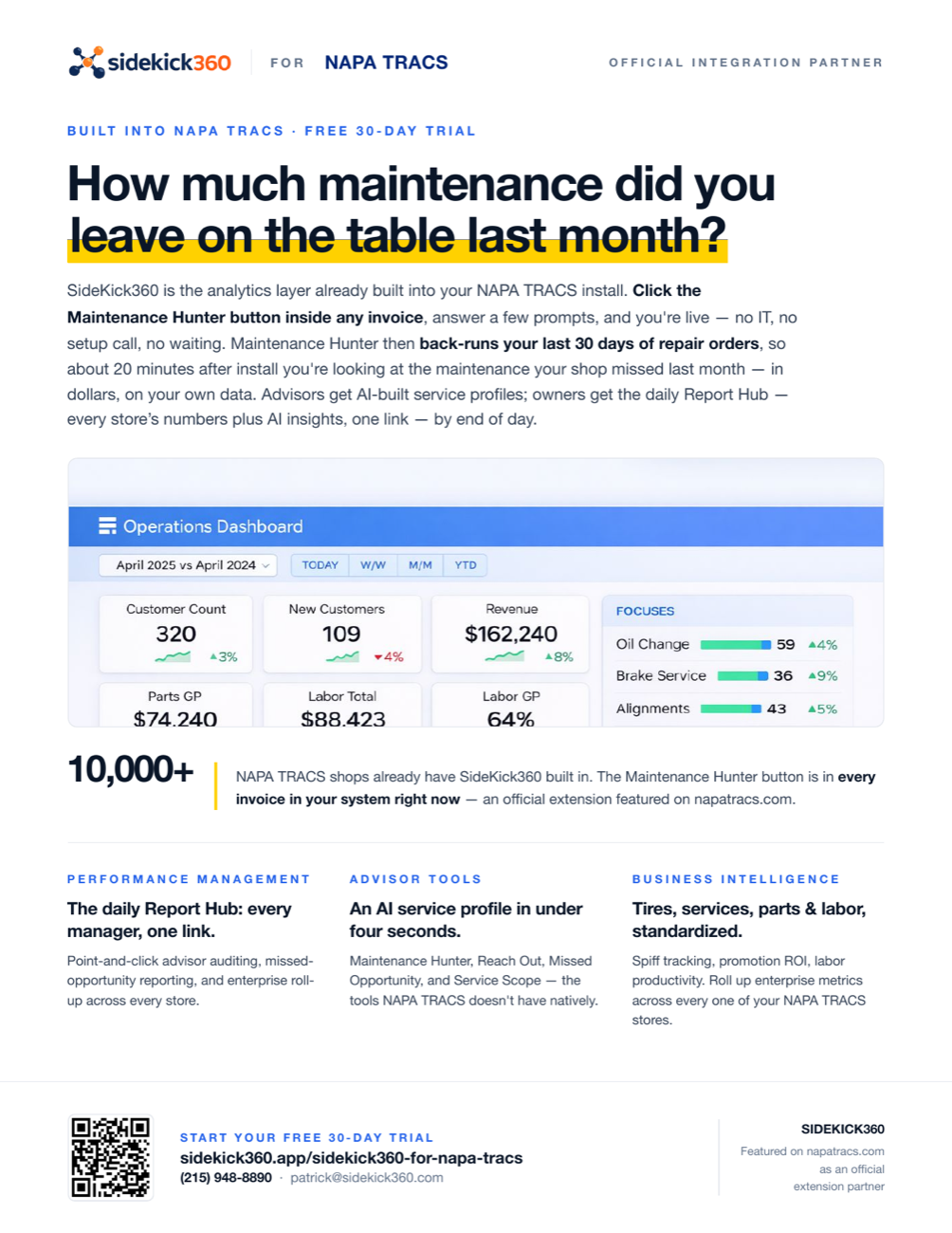
Prefer a PDF? Grab the NAPA TRACS + SideKick360 leave-behind.
A two-page printable overview — what SideKick360 does inside NAPA TRACS, what shops recover in year one, and how to get set up in 15 minutes. Perfect for sharing with your owner, partners, or team.
- What’s already built into your NAPA TRACS system
- Maintenance Hunter, reporting, and multi-unit features at a glance
- Real shop results — $8K recovered in month one
- Simple 3-step setup and 30-day trial details
Rather we set it up with you?
Not at the TRACS server right now, or want a hand? Leave your details and we’ll help you install, usually the same day. Same 30-day free trial, no credit card to start.
- 30-day free trial with full access to every feature
- Install SideKick Connector in about 15 minutes
- Data connection is instant — your shop is live the same day
- No credit card required to start
“SideKick360 showed us revenue we didn’t even know we were missing. Within the first month, we recovered over $8,000 in declined services.”
 Josh L. — Dave’s Ultimate Automotive
Frequently asked questions
How long is the free trial?
You get a full 30-day free trial with complete access to every SideKick360 feature. If you want to keep using it after 30 days, just add a credit card — that’s it.
How do I install the NAPA TRACS connection?
Yourself, in about 15 minutes. On the computer running your NAPA TRACS server, open an invoice, pull up a vehicle, and click Maintenance Hunter, then Get Started. Copy the setup link into Chrome or Edge, run Sidekick360_Setup.exe, and select every store you want connected. No IT help needed, and we’re here if you get stuck.
We installed, but Maintenance Hunter shows the sign-up page on another computer. Why?
The installer turns on the computer it ran on. On each other TRACS computer, open Settings › Catalogs › SideKick360, enter your store’s Site ID (it’s in your SideKick360 welcome email), save, and click Maintenance Hunter again. Don’t have your Site ID? Use the Site ID link above and we’ll send it.
What happens after the 30-day trial?
If you want to keep SideKick360, just add a credit card: the full platform is $200 per location per month, or $99 per location per month for Maintenance Hunter on its own, which includes SideKick360 in ChatGPT. There’s no automatic charge during the trial and no obligation to continue. Most shop owners see enough value in the first week to know it’s worth it.
Will this disrupt my NAPA TRACS workflow?
Not at all. SideKick360 reads your data in the background. Your team keeps using NAPA TRACS exactly as they do today — nothing changes on their end.
What data does SideKick360 access?
We analyze repair orders, customer records, vehicle history, and service data to surface insights. We never modify or write to your NAPA TRACS data.
How much maintenance did you leave on the table last month?
Install in 15 minutes, and Maintenance Hunter shows you the answer about 20 minutes later — from your own repair orders, not a sales deck. Free for 30 days.
30-day free trial • 15-minute self-install • Just add a card to keep it